THE TOOL, EXPLAINED

Built for a Clearer Recovery Workflow.

From selecting a wallet file to reviewing the final result, each part of the desktop workflow helps you make informed decisions.

Feature descriptions reflect the requirements and supplied application interface. Exact algorithm support, licensing, and platform availability must be checked against your installed release. Task history is not advertised because it has not been confirmed.

FEATURE / 01

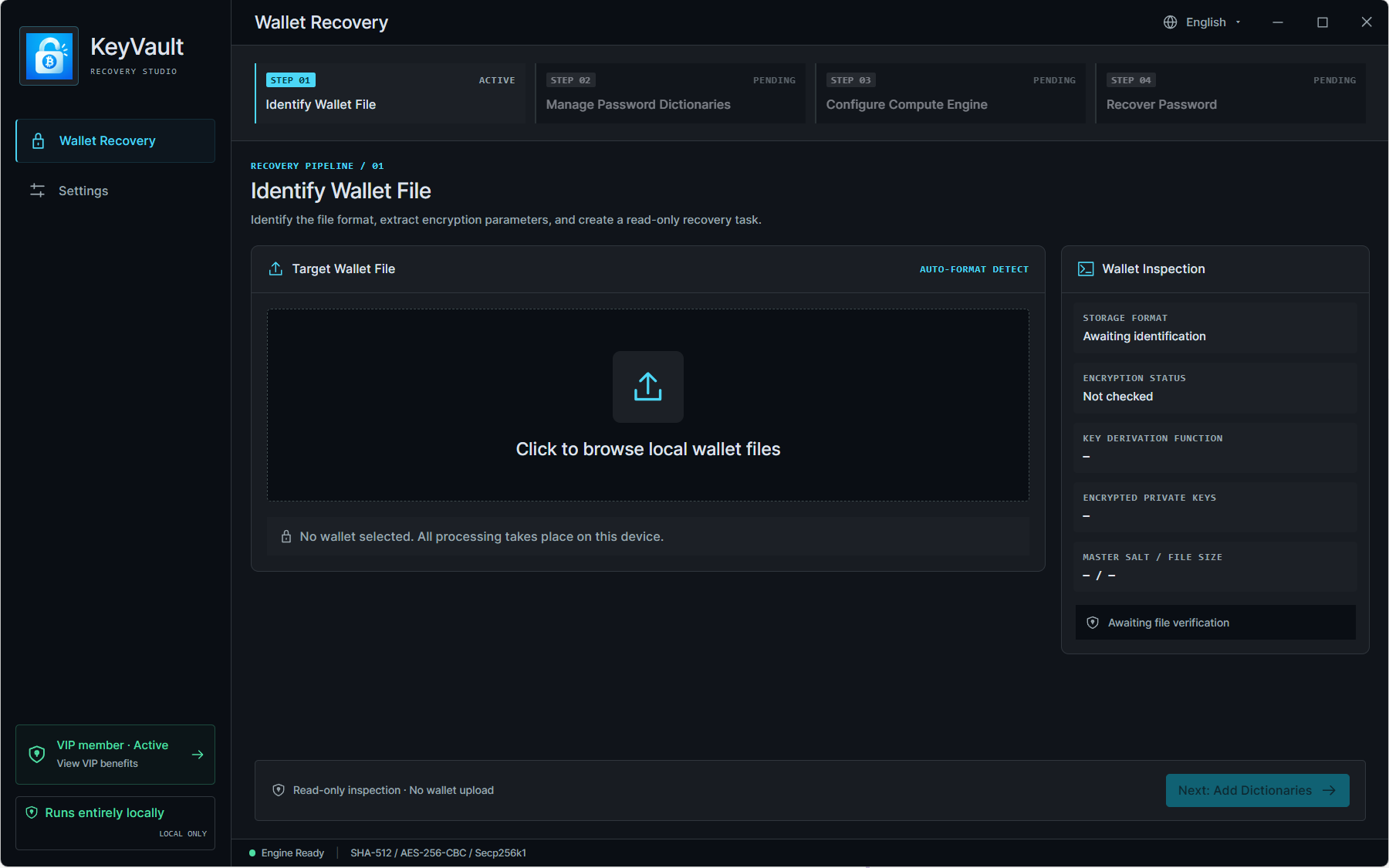
Wallet File Detection

Start with clarity. Inspect the wallet file and review the format and encryption information the client can identify.

Scope & limitations: Detection depends on the file version and supported parser. An unfamiliar or damaged file is not automatically recoverable.

View Desktop Downloads
Application interface illustrating Wallet File Detection
Supplied application interface. Example values are not benchmarks.
FEATURE / 02

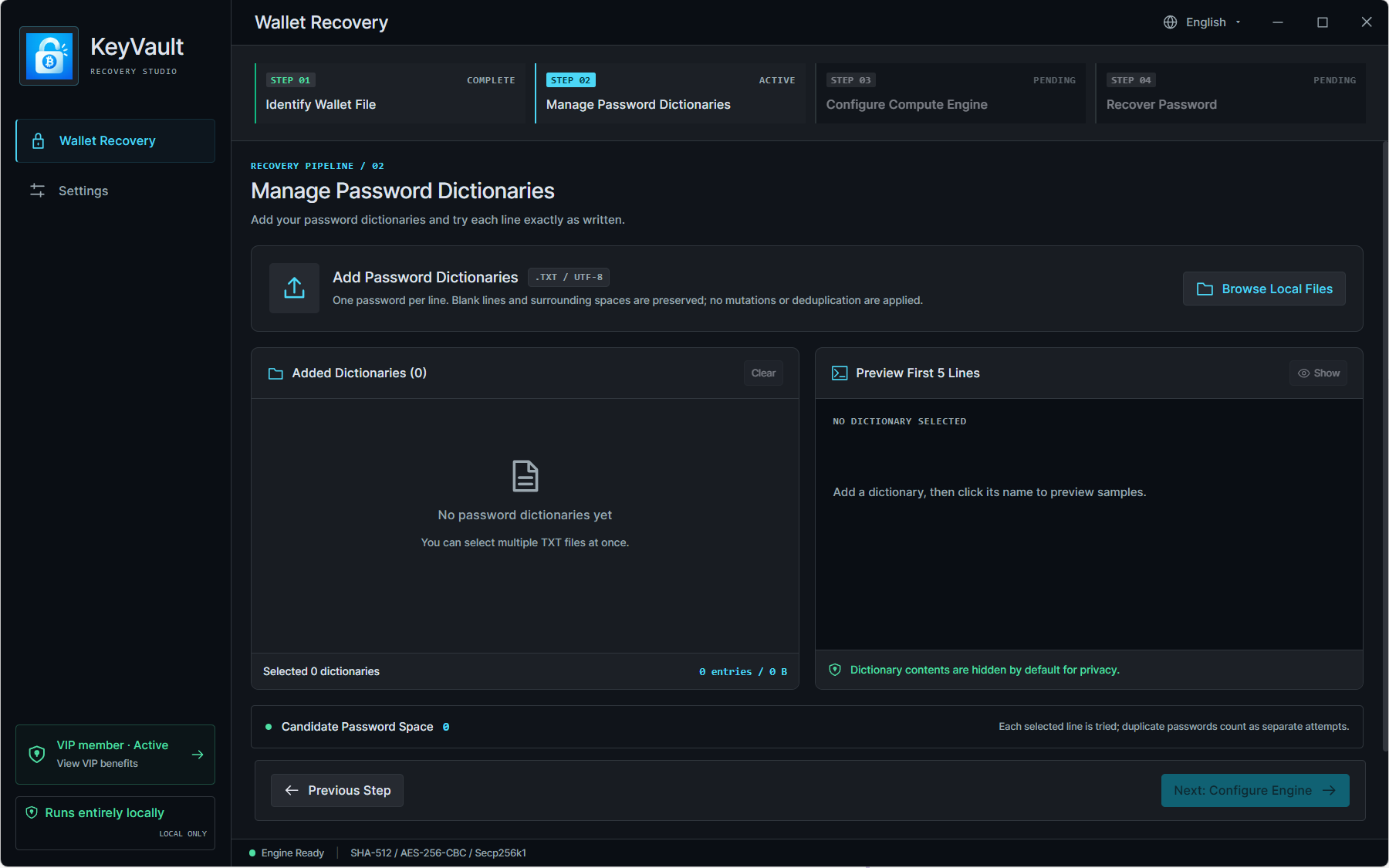
Password Dictionary Management

Bring your own candidates. Import one or more TXT dictionaries and keep file counts, password entries, and import status in view.

Scope & limitations: Use one password per line. A larger dictionary does not guarantee better results; the correct password must be among the tested candidates.

View Desktop Downloads
Application interface illustrating Password Dictionary Management
Supplied application interface. Example values are not benchmarks.
FEATURE / 03

CPU & GPU Processing

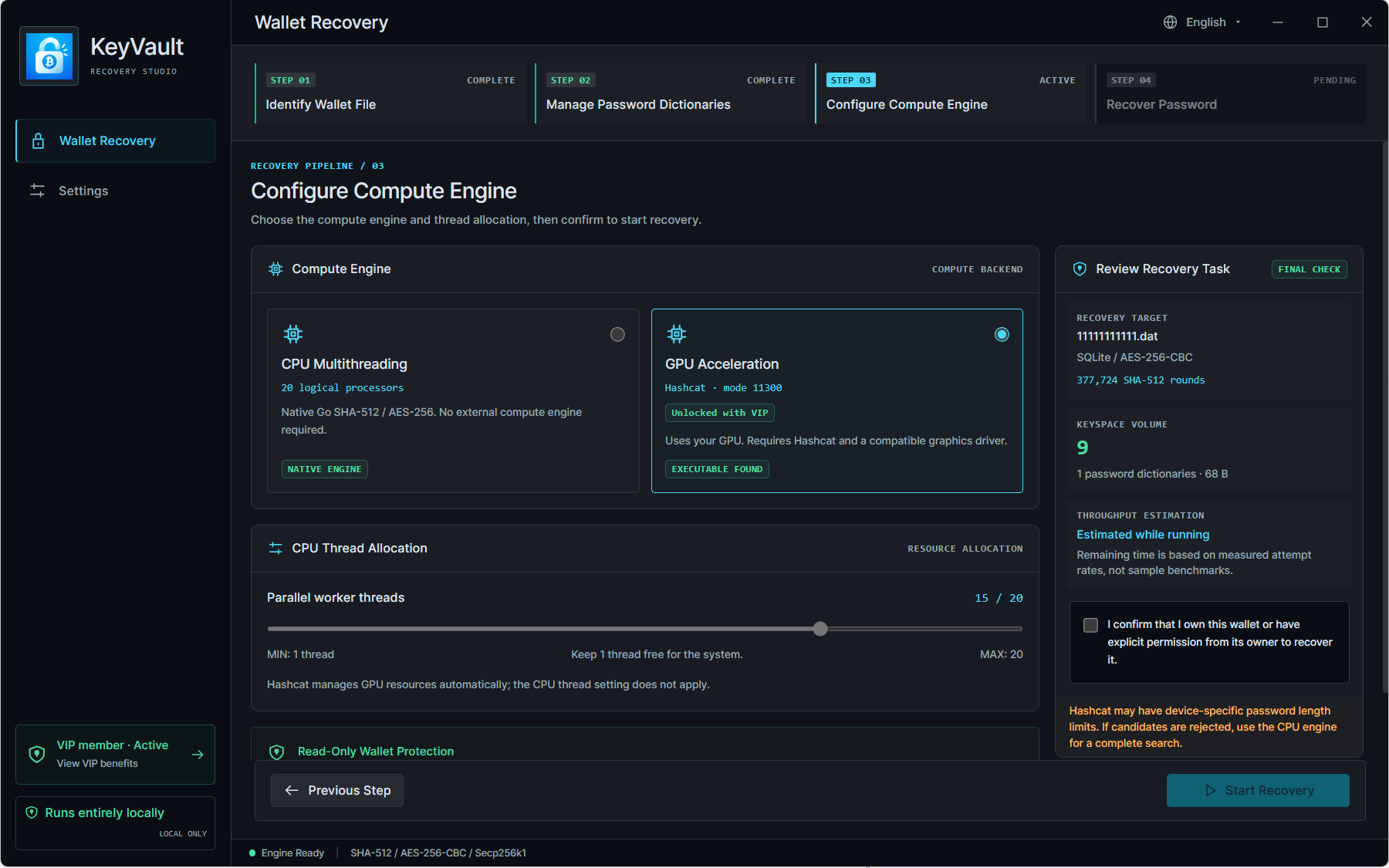
Choose the processing option that fits your task. Configure CPU threads or use a compatible GPU backend where supported.

Scope & limitations: The supplied interface shows a VIP-gated Hashcat GPU option. Availability depends on the wallet algorithm, driver, GPU, installed engine, and client build.

View Desktop Downloads
Application interface illustrating CPU & GPU Processing
Supplied application interface. Example values are not benchmarks.
FEATURE / 04

Recovery Progress

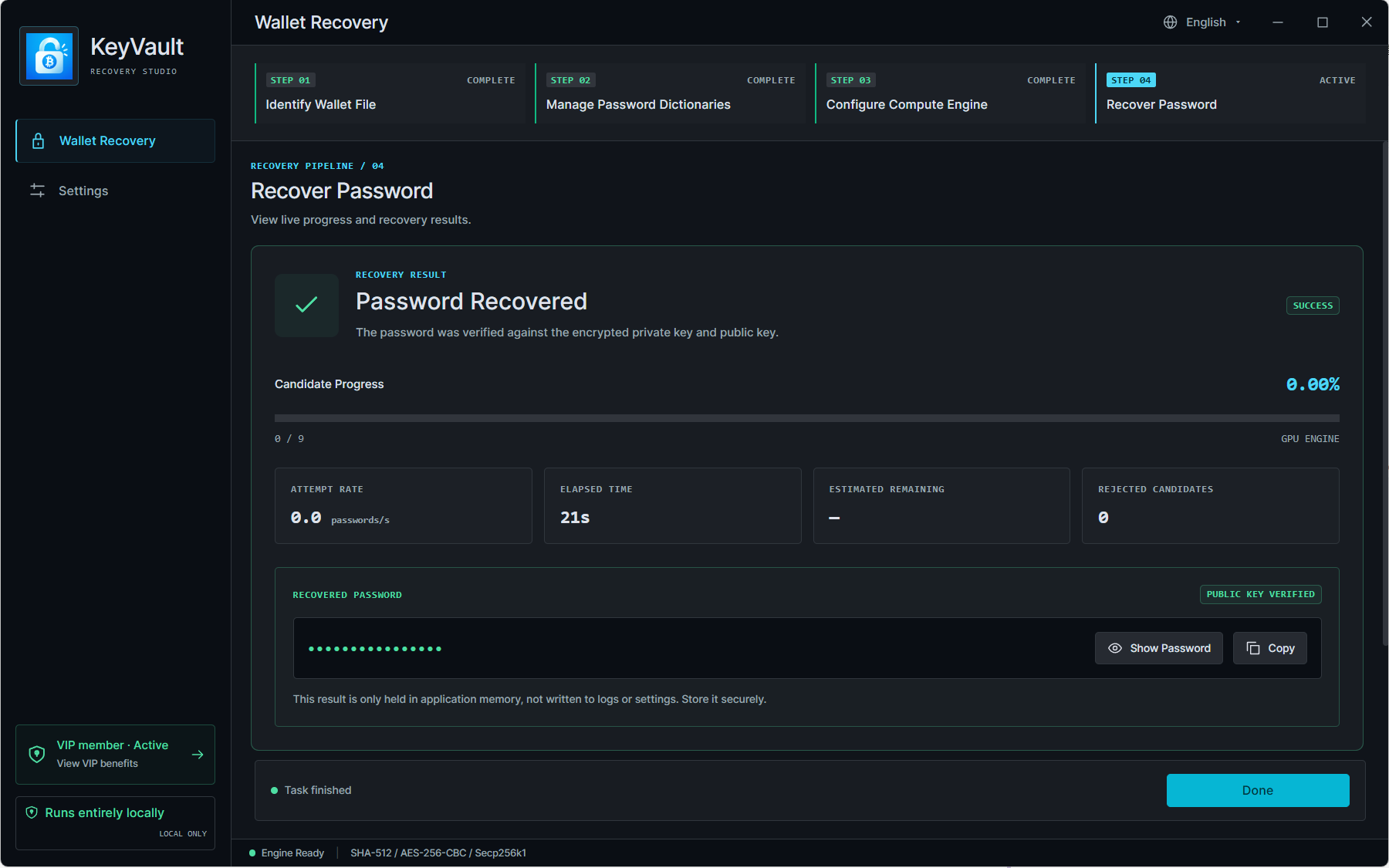
Stay informed from first attempt to final result. Follow attempted candidates, overall progress, elapsed time, and remaining-time estimates.

Scope & limitations: Estimates can change as the measured processing rate changes. A completed search may finish without finding a matching password.

View Desktop Downloads
Application interface illustrating Recovery Progress
Supplied application interface. Example values are not benchmarks.
FEATURE / 05

CPU Thread Configuration

Allocate processing threads while leaving resources for other applications.

Scope & limitations: CPU thread controls do not apply to the Hashcat GPU backend shown in the interface.

View Desktop Downloads
Application interface illustrating CPU Thread Configuration
Supplied application interface. Example values are not benchmarks.
FEATURE / 06

Recovery Result Handling

Review a masked result in the client and deliberately choose whether to reveal or copy it. The supplied screen states that the result is held in application memory, not written to logs or settings.

Scope & limitations: Never include recovered passwords in screenshots, support reports, or analytics. Confirm memory and clipboard handling in your actual release.

View Desktop Downloads
Application interface illustrating Recovery Result Handling
Supplied application interface. Example values are not benchmarks.
FEATURE / 07

Local Data Handling

Choose wallet files and dictionaries from your own device for the desktop recovery workflow.

Scope & limitations: This website has no wallet-upload endpoint. Client licensing, updates, and other network behavior require separate release disclosures.

View Desktop Downloads
Application interface illustrating Local Data Handling
Supplied application interface. Example values are not benchmarks.
FEATURE / 08

Cross-Platform Desktop Support

A desktop workflow intended for Windows, Linux, and macOS.

Scope & limitations: Installers, architectures, minimum operating systems, and signing details are listed only when a real build has been published.

View Desktop Downloads
Application interface illustrating Cross-Platform Desktop Support
Supplied application interface. Example values are not benchmarks.
TAKE THE NEXT STEP, ON YOUR TERMS

Ready to Start Your
Recovery Process?

Download the desktop application and use your own password dictionary to get started.

Download for Your PlatformUse only with wallets you own
or are authorized to recover.